

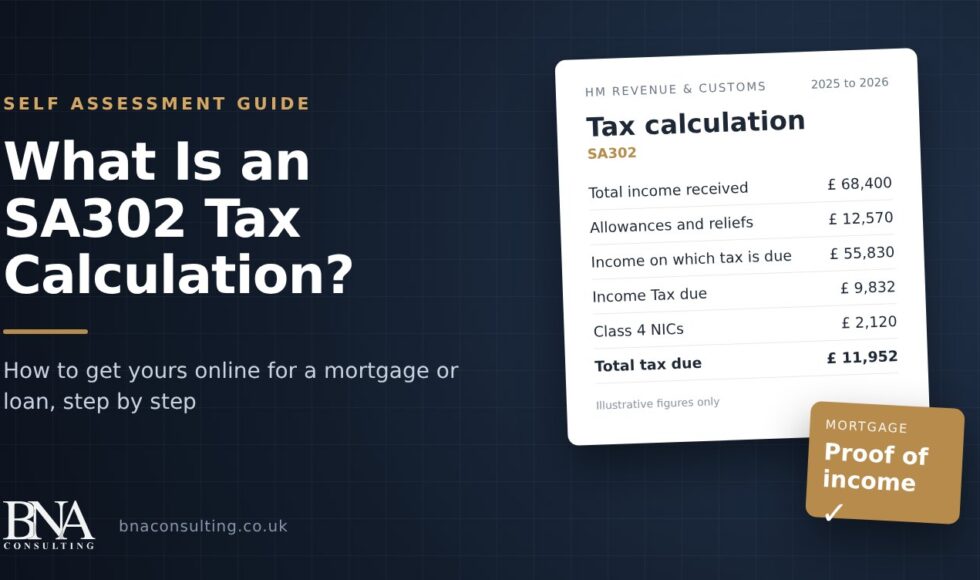
If you’re self-employed and applying for a mortgage, sooner or later the lender will ask for your SA302. It’s one of the most common requests we get from clients, and it usually comes with a deadline attached. Here’s what an SA302 is, what it shows, and how to get yours in a few minutes.
What is an SA302 tax calculation?
An SA302 is HMRC’s tax calculation for one tax year. It’s produced from the Self Assessment tax return you file, and it sets out how much income you had and how much tax you owe on it. The tax year runs from 6 April to 5 April the following year, so the SA302 for 2025 to 2026 covers 6 April 2025 to 5 April 2026.
According to HMRC, your SA302 shows:
- your total income on which tax is due
- any allowances and reliefs you’ve claimed
- the total tax owed for the year
- how HMRC worked out that amount
It does not show payments on account you’ve already made, Budget Payment Plan payments, or other amounts such as unpaid tax from earlier years or penalties. That’s why lenders usually ask for a second document too (see below).
Why do you need an SA302?
Employees prove their income with payslips and a P60. If you’re self-employed, a company director paid by dividends, a landlord or a contractor, you don’t have those, so the SA302 does the same job. You’ll typically be asked for it when:
- applying for a mortgage or remortgage
- applying for a loan or business finance
- renting a property, where the letting agent wants proof of income
- some visa and immigration applications
Most mortgage lenders ask for two to three years of SA302s, each with its matching tax year overview.
SA302 vs tax year overview: what’s the difference?
Lenders generally want both:
| Document | What it shows |
|---|---|
| SA302 tax calculation | Your income and the tax calculated on it for one year |
| Tax year overview | The tax due for that year, what you’ve paid, and anything still outstanding |
Together they show the lender that your income figure is real and that your tax is paid. HMRC publishes a list of lenders who have agreed to accept SA302s and tax year overviews that you, your agent or your accountant have printed yourselves. Always check with your lender what they need, because requirements vary.
How to get your SA302 online (step by step)
If you filed your return online through HMRC, you can print your SA302 yourself:
- Wait 72 hours after filing. HMRC says you can’t print your documents until 72 hours after you sent your tax return.
- Sign in to your HMRC online account (your Government Gateway or GOV.UK One Login details).
- Go to Self Assessment, then “More details about your Self Assessment returns and payments”.
- Choose the tax year, then view and print or save the tax calculation and the tax year overview as PDFs.
You can get SA302s for the last 4 years once each return has been sent, and a tax year overview for any year.
If you used accounting software
If your return was filed through commercial software (or by your accountant), print the calculation from that software instead. It may be called a “tax computation”. You can still print the tax year overview from your HMRC online account.
If you filed a paper return
HMRC will send your calculation by post after it processes a paper return. Bear in mind the paper deadline is earlier: 31 October, compared with 31 January for online returns.
What if you haven’t filed your return yet?
There’s no SA302 until a return has been filed, so if a lender needs your latest year’s figures, the fastest route is to file early. The 2025 to 2026 return can be filed now; the online deadline is 11:59pm on 31 January 2027, but there’s no need to wait. Filed online, the SA302 is printable 72 hours later.
If your bookkeeping is behind, that’s usually the real bottleneck. Our catch-up bookkeeping guide explains how to get records in order quickly.
Common SA302 problems
The figures look wrong. The SA302 only reflects what was on your return. If you’ve spotted a mistake, you can amend an online return, generally within 12 months of the 31 January deadline. A new calculation is produced once the amendment is processed.
The lender won’t accept a self-printed copy. Check whether the lender is on HMRC’s published list. If not, they may accept a copy prepared and signed by your accountant, or you may need to ask HMRC.
You can’t find the option in your account. Make sure you’re signed in to the account linked to your UTR. If you’ve never registered for Self Assessment, see how to apply for a UTR number.
The income is lower than you expected. The SA302 shows taxable profit, after expenses, not turnover. Claiming every expense is good for your tax bill but reduces the income figure lenders see. If you’re planning a mortgage, talk to an accountant about this well before year end.
Frequently asked questions
How long does it take to get an SA302?
If you filed online, you can print it yourself 72 hours after submitting. Paper filers receive it by post.
How many years of SA302 can I get?
HMRC lets you get SA302s for the last 4 years once you’ve sent each return.
Is an SA302 the same as a tax return?
No. The tax return is what you send to HMRC. The SA302 is HMRC’s calculation of the tax due based on that return.
Can my accountant get my SA302 for me?
Yes. If your accountant files your return, they can print the tax calculation from their software, and many lenders accept accountant-printed copies.
Does a limited company director need an SA302?
If you file a Self Assessment return (for example because you take dividends), yes, lenders will usually ask for it alongside your company accounts.
Need your SA302 quickly?
BNA Consulting prepares and files Self Assessment returns for self-employed people, landlords and company directors across London, and can supply your SA302 and tax year overviews in the format your lender wants. Get help with your SA302 or call us on 020 8991 9910.
Last reviewed: November 2026. Sources: GOV.UK, “Get your SA302 tax calculation” and “Understand your Self Assessment tax bill”.